


Bookworm Classic - Word Hunt
4.72.63K Reviews
App Specs
- Version
- 9.1.2
- Updated On
- License
- Free
- Downloads
- 500,000+
- Developer
- Layton
- Categories
- Word
- Platform
- Android
Screenshots
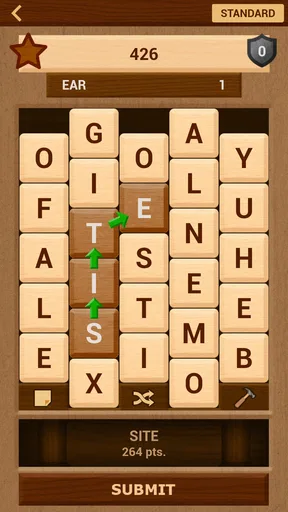
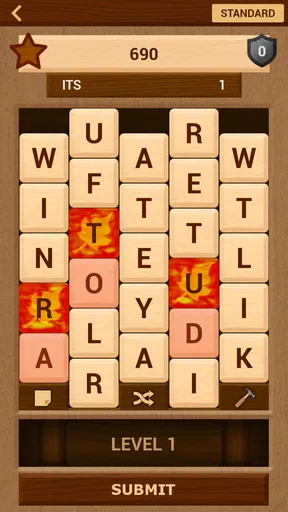
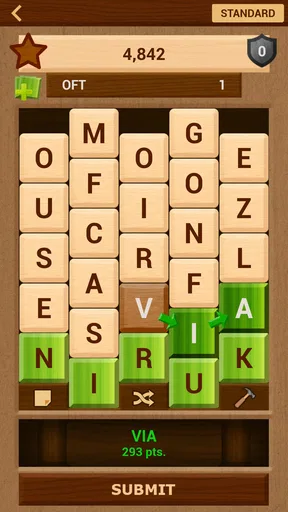
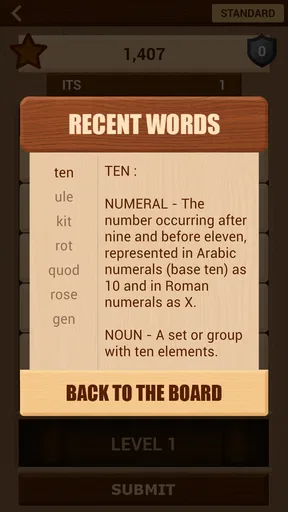
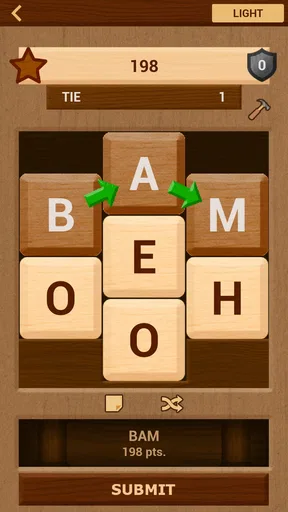
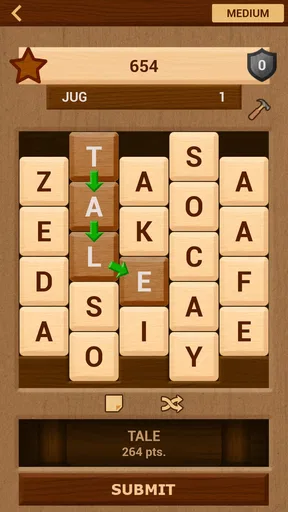
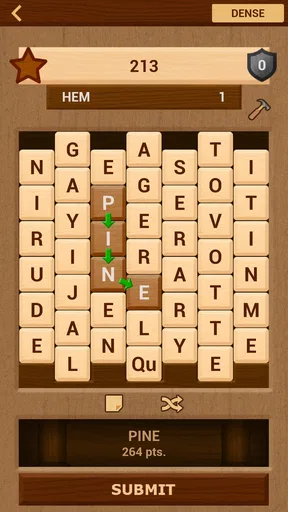
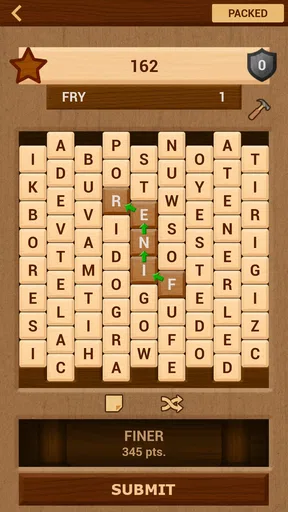
 Analysis by AppCompare
I keep coming back to Bookworm Classic - Word Hunt for the kind of short, quiet game that fits naturally into a shared household. It is easy to hand to someone else for a turn, simple enough for a casual player to understand quickly, and deep enough to reward a person who enjoys looking beyond the most obvious word. I tested it as a word puzzle rather than as a competitive action game, and that distinction matters: its appeal comes from attention, vocabulary, and the small satisfaction of spotting a useful letter path.
Made by Layton, this is a free word game for Android in the word category. It has a 4.7 average from around 8.6 thousand ratings, with more than 500 thousand installs, so it has clearly found an audience beyond people who only play large, heavily advertised games. The age rating is Everyone, which makes it approachable for a broad household audience, although younger players will still get more from it if they already recognize a reasonable range of words.
How it works when several people share the same device
The most natural household use is informal: one person starts a puzzle, another notices a better word, and the device moves across the table. That works especially well because a word hunt does not require a long explanation or a complicated control scheme. You can show the basic interaction, make a word, and let the next player experiment. It is a good option for a waiting room, a short break, or a calm evening when nobody wants a noisy multiplayer game.
I would not describe it as a true shared-account experience, though. The game is better understood as a title that people can take turns playing on one device. That distinction helps set expectations. If several household members want separate progress, personal records, or clearly divided play histories, they should agree in advance about who is using the device and when. Without that simple arrangement, one player can easily continue from another person's session and make the results feel mixed together.
That limitation is not a deal-breaker for me, because the game does not need a formal family structure to be enjoyable. In fact, its low-friction design is part of the charm. A parent can try a round after a child has finished, or two adults can compare the words they notice without turning the activity into a serious contest. The important point is to treat the device as shared space rather than assuming that every player has an independent profile.
A realistic example would be a family waiting for dinner while one phone is available. One person searches for a long word, another points out a shorter combination that might be safer, and a third player takes over when the first person gets stuck. The game supports that kind of conversation better than a fast reflex title because the useful contribution is often an observation rather than a quick finger.
The best shared-device strength is its pause-friendly rhythm. You can stop to discuss a possible word without feeling that an opponent is actively punishing the delay. That makes it more comfortable for mixed ages and mixed skill levels. A confident player can look for ambitious combinations while a beginner learns by watching how letters connect.
Worth Reading Before You Choose

EA SPORTS FC Mobile 26 Is a Bigger Football Game, but It Takes Time

Flipboard Shows What News Apps Must Do Beyond the Feed

Switching to Android Auto Means Rethinking Your Driving Routine

Google Calendar Makes a Crowded Week Easier to Manage

Ludo King Makes the Most of the Minutes Between Plans

Baby Panda World Brings Quick Play to Modern Phones, but Its Game Library Feels Busy
What each player should agree before starting
For a household, I recommend deciding three small things before passing the device around. First, decide whether the goal is individual progress or a group solution. Second, agree on whether suggestions are allowed while somebody else is playing. Third, decide who gets to continue a session if the device has to be put away. These sound minor, but they prevent the most common shared-game frustration: one person believes the group is cooperating while another believes the turn belongs to them alone.
The game itself is suitable for casual coordination because the central task is visible. A spectator can follow the search for words without needing to understand a complicated inventory, character build, or control layout. That also makes it useful for an older relative who may not enjoy modern game interfaces. The main barrier is vocabulary, not dexterity.
There is a trade-off here. Shared play can make the game more social, but it can also remove the quiet concentration that word puzzles usually provide. If someone is trying to build a careful word and several people call out suggestions, the experience becomes less reflective. I found it works best when the household alternates between cooperative turns and silent turns rather than mixing both styles constantly.
Setup, boundaries, and everyday trust
Since the game is free, getting started is straightforward from a cost perspective. It is available for Android devices running at least Android 7.0, and the current version is 9.1.2. Those details matter in a shared household because an older spare phone may be the device everyone uses. Before planning around it, check that the chosen phone meets the operating-system requirement and has enough practical battery life for the people who will actually play.
Free does not necessarily mean completely separate from spending. In-app purchases range from $0.49 to $9.49 per item. For a shared device, I would make the purchase boundary clear before handing it to a child or guest. Even when nobody intends to buy anything, a simple household rule is useful: ask first, and do not treat an on-screen purchase as part of the normal turn. That keeps the game recreational instead of creating an avoidable disagreement later.
I also prefer to keep the game on a general-purpose device rather than a device that belongs exclusively to one child, unless the household already has a clear arrangement for shared apps. The reason is not that the game is unsuitable for children; its Everyone rating makes it broadly accessible. The reason is that a shared phone often contains other people's conversations, work, photos, and accounts. Passing it around for a puzzle should not blur those boundaries.
A practical routine is to open the game only after the device owner has finished anything private, then return the phone to the same person when the session ends. If younger players are involved, an adult can handle any purchase decision and keep the play session focused on the puzzle. This is ordinary device hygiene, but it is particularly helpful with games that invite quick “just one more turn” sessions.
Another useful boundary is time rather than money. Word puzzles can feel harmless enough that players keep extending a short break. In a household setting, I would use a natural stopping point, such as finishing the current attempt or passing the device after a fixed number of turns. That preserves the relaxed quality of the game and prevents the strongest player from quietly taking over the entire session.
Why the large word pool changes the experience
The store summary points to more than 347 thousand available words, and that scale helps explain why the game can remain interesting after the basic controls become familiar. I do not read that figure as a promise that every word will be equally familiar or equally useful. Instead, it suggests a broad vocabulary space in which players may encounter words they do not immediately recognize.
That creates one of the game's more interesting household trade-offs. An experienced reader may enjoy discovering unusual words, while a younger player may feel that an unfamiliar entry is unfair or confusing. The best response is not to assume that the game is teaching a complete vocabulary lesson. Treat unfamiliar words as prompts for curiosity, but do not turn every round into a test of whether somebody knows a particular term.
For mixed-age play, I would give the younger or less experienced player permission to begin with shorter, familiar words. A stronger player can then demonstrate how looking at the whole letter arrangement changes the possibilities. This makes the session collaborative without pretending that everyone has the same vocabulary.
One non-obvious advantage of a broad word pool is that it discourages memorizing a tiny set of obvious answers. Repeated play becomes more about scanning patterns and judging risk than simply recalling the same handful of solutions. The downside is that a player who wants a tightly controlled learning path may prefer a dedicated vocabulary app with definitions, levels, or explicit lessons. This game is primarily a puzzle experience, not a structured language course.
Coordination without turning it into a competition
When I play a word game alone, I tend to chase the longest or most satisfying option. With other people, that instinct can make the session less welcoming. A better household approach is to give each player a different role: one person scans the left side of the board, another checks for short connecting words, and a third decides whether the group should take a safe answer or keep searching.
This method adds coordination without inventing a multiplayer mode that the game does not promise. Everyone contributes to the same visible puzzle, but the device still belongs to the person whose turn it is. That distinction avoids a common problem in shared games, where the loudest participant effectively controls every decision.
I also found that the game works well as a quiet alternative to trivia. Trivia usually rewards whoever answers first, while a word hunt gives slower thinkers time to inspect the letters. If one household member is not comfortable competing verbally, they can still contribute by pointing out a possible route. That makes the title more inclusive than games built entirely around speed or instant recall.
Still, it is not the right choice for a group that wants live head-to-head pressure, animated rounds, or a strong social scoreboard. A dedicated competitive word game would be better for that purpose. Bookworm Classic - Word Hunt is more appealing when the pleasure comes from solving the arrangement itself and sharing discoveries at an unhurried pace.
Age, trust, and who will enjoy it most
The Everyone rating makes the game easy to consider for a household with children, adults, or older players. In practice, age suitability and enjoyment are not identical. A child who loves letters and spelling may become absorbed quickly, while a child who needs constant visual action may lose interest. An adult who reads widely may appreciate the challenge, but someone looking for a guided educational tool may find the experience too open-ended.
For older relatives, the simple word-focused premise can be a strength because it does not demand fast reactions. However, comfort still depends on the phone's screen size, touch responsiveness, and general accessibility settings. Those are device-level concerns rather than qualities I would attribute to the game itself, so I would test it on the actual shared phone before making it a regular family activity.
Trust matters most around purchases and shared progress. I would happily recommend the game for a family tablet or spare Android phone when adults have established who can use it and what spending is allowed. I would be more cautious on a work phone or a device that several people use for sensitive tasks, not because the word puzzle is inappropriate, but because shared access itself can create confusion.
Players who should probably skip it include people seeking a story-driven adventure, an action challenge, or a formal lesson plan. It also may not satisfy someone who wants a completely separate account for every household member. In those cases, a personal word-learning app or a more explicitly competitive game would be a better match.
How it compares with familiar word-game alternatives
Compared with a crossword, this game feels more immediate because you work directly with available letters rather than relying on a set of clues and a fixed grid. That makes it easier to share spontaneously, but it also means you may get less of the satisfying general-knowledge element that crosswords provide. If you enjoy clues, themes, and a finished grid, a crossword app will probably offer more structure.
Compared with a spelling or vocabulary trainer, this title is less instructional. It encourages recognition, pattern scanning, and word formation, but it does not replace deliberate study. I would use it as a light practice activity between more focused learning sessions, not as the only tool for someone trying to build language skills.
Compared with a competitive online word game, its strongest advantage is the absence of pressure from a live opponent. That makes it better for a relaxed household and less suitable for players who need rivalry to stay engaged. The choice comes down to what you want from the session: concentration and shared discovery, or speed and comparison.
The broad vocabulary also gives it a different feel from very small daily word puzzles. A daily puzzle can be satisfying because everyone works on the same limited challenge, while this game offers a more open-ended stream of word hunting. I prefer Bookworm Classic - Word Hunt when I want to play for an undetermined short stretch, but I would choose a daily format for a ritual that begins and ends with one clearly defined puzzle.
My household verdict after regular use
I recommend Bookworm Classic - Word Hunt for households that want a calm, inexpensive word game that can be passed between people without a long tutorial. Its strongest qualities are the accessible premise, the generous vocabulary range, and the way it supports conversation without requiring formal multiplayer features. The 4.7 average and established install base fit my impression that it is a dependable choice for casual word-game fans, rather than a novelty that depends on one clever gimmick.
My recommendation comes with sensible boundaries. Treat the device as shared space, agree on turns, and decide in advance how in-app purchases are handled. Do not expect separate household accounts, a structured language curriculum, or intense real-time competition. Those expectations would point toward different kinds of apps.
For a parent and child, two adults sharing a tablet, or relatives looking for a low-pressure way to play together, this is a good fit when vocabulary is more appealing than action. I especially like it for short sessions where one person can pause, another can suggest a possibility, and everyone can enjoy the small moment when an unexpected word works.
After using it, my final view is simple: choose it for flexible word hunting and informal shared play, not for account separation or competitive spectacle. If that matches what your household wants, the free entry point makes it easy to try, while the broad word selection gives it enough room to remain interesting beyond the first few turns.
Pros
- Simple word-search gameplay that is easy to learn and play casually.
- Helpful power-ups add strategy without making the core mechanics complicated.
- Offline play makes it convenient for travel or areas with limited internet.
- Clear letter tiles and readable text work well on smaller screens.
- Short rounds are suitable for quick breaks or relaxed puzzle sessions.
Cons
- The classic presentation may feel dated compared with newer word games.
- Limited variety can make the experience repetitive during longer play sessions.
- Some challenging words may depend heavily on an extensive English vocabulary.
- Progression may feel slow for players seeking frequent rewards or unlocks.
- Not ideal for users looking for multiplayer competition or social features.
FAQs for Bookworm Classic - Word Hunt
What is Bookworm Classic - Word Hunt?
Bookworm Classic - Word Hunt is a word puzzle game based on creating words from adjacent letter tiles. Players connect letters on the board to form valid words, score points, and clear tiles while trying to avoid unwanted letter combinations. Its classic presentation and straightforward rules make it suitable for casual play, vocabulary practice, and short gaming sessions.
How do you play Bookworm Classic - Word Hunt?
To play, select neighboring letters on the grid in sequence to build a word, then submit your choice to earn points. Longer and less common words generally provide better scores, while special tiles or board effects may influence your strategy depending on the version. Planning ahead is important because clearing tiles can change the available combinations.
Is Bookworm Classic - Word Hunt suitable for beginners?
Yes, the game is generally easy for beginners to understand because its main objective is simply to find and create words. However, later challenges can require a stronger vocabulary, quicker recognition, and more careful tile management. New players can start by forming short words, learning the scoring system, and gradually experimenting with longer combinations.
Can Bookworm Classic - Word Hunt be played offline?
Offline availability can depend on the specific Android or iOS version and how the developer has implemented advertisements, updates, or online features. The core word-puzzle gameplay may work without a constant connection, but some functions could require internet access. It is best to check the app-store description and test the game after installation.
Is Bookworm Classic - Word Hunt free to download?
The download model may vary according to the platform, region, and edition available in the store. Some versions can be free with advertising, while others may include optional purchases or use a paid download. Before installing, review the current store listing for pricing, in-app purchases, advertisements, supported devices, and privacy details to avoid surprises.


